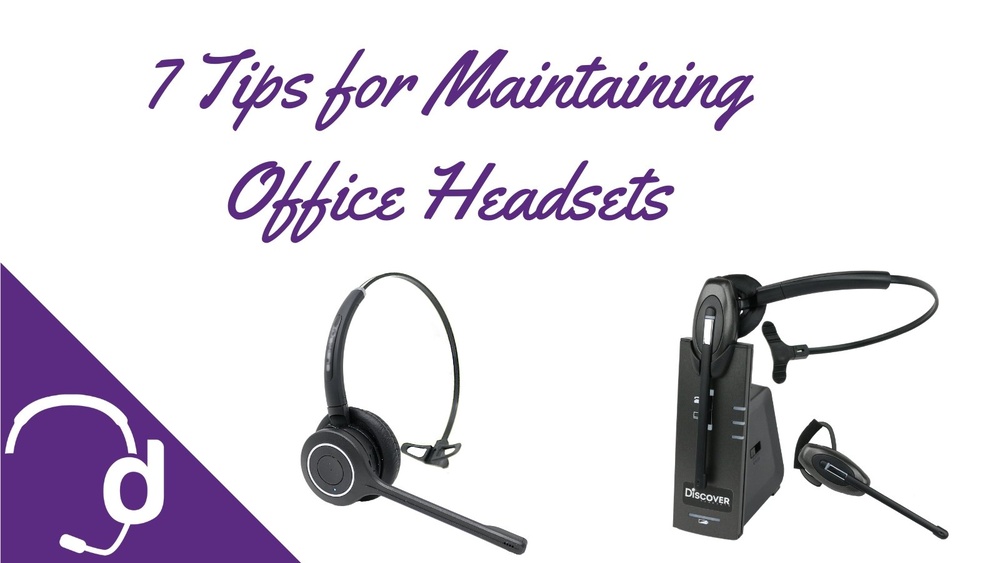
You’ve invested in noise-canceling headphones to escape distractions and enjoy clear, immersive sound. But are you taking the right steps to keep them working like new?
Proper care can make a huge difference in how long your headphones last and how well they perform. You’ll discover simple, effective tips to maintain your noise-canceling headphones. Keep reading to protect your investment and experience top-quality sound every time you put them on.

Credit: www.walmart.com
Cleaning Your Headphones
Cleaning your noise-canceling headphones is important for good sound and comfort. Dirt, sweat, and dust can build up over time. This can cause bad smell and lower sound quality. Regular cleaning keeps your headphones fresh and working well.
Be careful during cleaning. Using the right methods protects your headphones from damage. Follow these simple steps for safe and effective cleaning.
Removing Ear Pads Safely
Start by gently pulling the ear pads from the headphones. Do not use force or sharp tools. Check your headphone manual for specific instructions. Removing ear pads carefully prevents tears or damage. Set the pads aside on a clean surface.
Using Gentle Cleaning Solutions
Use a soft cloth dampened with mild soap and water. Avoid strong chemicals or alcohol-based cleaners. These can harm the material or electronics. Wipe the ear pads and headband gently. Let them air dry completely before reattaching.
Cleaning Mesh And Microphones
Use a dry, soft-bristled brush to clean the mesh and microphones. Avoid pressing too hard to prevent damage. Remove dust and tiny debris carefully. Do not use water or liquids on these parts. Keep the sound clear by cleaning these delicate areas regularly.
Proper Storage Techniques
Proper storage techniques keep noise-canceling headphones safe and working longer. Storing them correctly prevents damage and preserves sound quality. Simple habits protect your investment and make your headphones last.
Using Protective Cases
Always store headphones in a protective case. Cases shield them from dust, dirt, and scratches. A hard case stops crushing and bending during transport. Soft pouches offer basic protection but use hard cases for better safety. Choose a case that fits your headphone model well.
Avoiding Extreme Temperatures
Keep headphones away from very hot or cold places. Extreme heat can melt parts or damage batteries. Cold temperatures may cause materials to become brittle and break. Store headphones in room temperature areas to maintain their shape and function.
Keeping Away From Moisture
Moisture harms electronic parts inside headphones. Avoid storing them in damp or humid places like bathrooms or kitchens. Use silica gel packs in storage cases to absorb moisture. Always dry headphones if they get wet before storing.
Battery Care Tips
Taking care of your noise-canceling headphones’ battery is key to long-lasting use. Proper battery habits keep your device working smoothly. They help avoid early battery wear and keep sound quality steady.
Optimal Charging Habits
Charge your headphones regularly but avoid letting the battery drop to zero. It is best to keep the battery level between 20% and 80%. This range helps maintain battery health over time. Use the charger that came with your headphones for best results.
Avoiding Overcharging
Do not leave your headphones charging overnight. Overcharging can reduce battery lifespan. Unplug the device once it reaches 100%. Many headphones have built-in protection, but it is safer to avoid extra charging hours.
Storing With Battery Health In Mind
Store your headphones with a partial charge, around 50%. Avoid storing them fully charged or completely drained. Keep them in a cool, dry place away from direct sunlight. Good storage keeps the battery stable and ready for use.

Credit: headsetadvisor.com
Handling And Usage Practices
Proper handling and usage help keep noise-canceling headphones working well. Careful use extends their life and maintains sound quality. Small habits make a big difference.
Avoiding Physical Damage
Always store headphones in a hard case. Avoid dropping or bending the headband. Keep them away from water and extreme heat. Rough handling can break internal parts or damage the ear pads.
Managing Cable And Wireless Settings
Do not pull cables forcefully. Disconnect by holding the plug, not the wire. For wireless models, keep Bluetooth settings updated. Avoid interference by staying close to your device.
Safe Wearing And Removal
Put on headphones gently, adjusting the headband slowly. Remove by lifting both ear cups at the same time. Avoid twisting or stretching the band too much. This prevents strain and keeps the fit comfortable.
Regular Maintenance Checks
Regular maintenance checks keep your noise-canceling headphones working well. These checks help find small problems before they grow. They also keep the sound clear and the noise-canceling strong. Spend a little time on your headphones to enjoy great sound every day.
Inspecting For Wear And Tear
Look closely at the ear pads and headband for cracks or tears. Check the wires and connections for damage or loose spots. Replace worn parts to keep comfort and sound quality high. Clean dirt and dust carefully to avoid damage.
Testing Noise-canceling Performance
Turn on your headphones in a quiet room. Listen for any unusual sounds or weak noise cancellation. Test in noisy places to feel the difference. If noise cancellation is weak, reset or check for blockages in microphones.
Updating Firmware
Check the manufacturer’s app or website for updates. Firmware updates fix bugs and improve performance. Install updates regularly to keep your headphones running smoothly. Follow the instructions carefully to avoid errors.

Credit: www.amazon.com
Troubleshooting Common Issues
Noise-canceling headphones can face issues after regular use. Troubleshooting common problems helps keep them working well. This section covers easy fixes for frequent troubles.
Fixing Connectivity Problems
Check if Bluetooth is turned on. Restart your headphones and device. Move closer to reduce interference. Remove old Bluetooth pairings and reconnect. Update the headphone firmware if possible. Reset headphones to factory settings if needed.
Addressing Sound Quality Drops
Clean the ear pads and speaker mesh gently. Check the audio source and cables for damage. Lower the volume to avoid distortion. Try a different device to test sound quality. Update the headphone software to fix bugs.
Dealing With Battery Drain
Turn off noise cancellation when not needed. Lower the volume to save power. Fully charge headphones before use. Avoid extreme temperatures that affect battery life. Close apps using Bluetooth to reduce drain. Replace the battery if it no longer holds charge.
Frequently Asked Questions
How Often Should I Clean Noise-canceling Headphones?
Clean your headphones once a week to keep them working well. Use a soft, dry cloth and avoid water or strong cleaners. This helps remove dirt and oil that can affect sound quality.
What Is The Best Way To Store Headphones Safely?
Store headphones in a hard case when not in use. Keep them away from heat, moisture, and direct sunlight. Proper storage prevents damage and extends their life.
Can Moisture Damage Noise-canceling Headphones?
Yes, moisture can harm the electronics and cushions. Avoid using them in heavy rain or sweaty conditions without protection. Wipe off any moisture immediately to prevent damage.
How Do I Maintain Battery Life For Noise-canceling Headphones?
Charge the battery before it fully drains for best results. Avoid leaving headphones plugged in all the time. Regular charging habits help keep the battery healthy and last longer.
Conclusion
Taking care of noise-canceling headphones keeps them working well. Clean them gently and store them safely every time. Avoid moisture and sharp objects to prevent damage. Check cables and battery life often for smooth use. Small efforts help extend headphone life and sound quality.
Enjoy clear sound and comfort longer with simple care. Keep these tips in mind and listen happily.