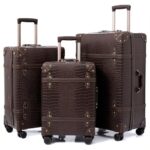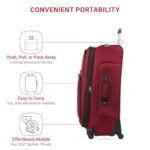
Losing your keys, wallet, or luggage while traveling can turn your trip into a stressful mess. What if there was an easy way to keep track of your important items and avoid that panic?
Bluetooth trackers are small devices that can help you find your belongings quickly, saving you time and worry. You’ll discover simple, practical tips on how to use Bluetooth trackers on your trips. Keep reading to learn how to make your travels smoother and more enjoyable by staying connected to what matters most.

Credit: bridgesfest.eu
Choosing The Right Bluetooth Tracker
Choosing the right Bluetooth tracker is important for a smooth travel experience. A good tracker helps you keep your belongings safe and easy to find. Not all trackers work the same way. Some have better features, longer battery life, or work with more devices.
Key Features To Consider
Look for a tracker with a strong Bluetooth signal. It should work over a good distance. Some trackers have extra features like a loud alarm or a light to find items in the dark. Waterproof or water-resistant trackers are better for outdoor trips. Size matters too. Pick a small tracker that fits your items easily.
Battery Life And Charging
Long battery life means less worry during trips. Some trackers last weeks or months on one charge. Others use replaceable batteries, which can be handy. Check how the tracker charges. USB charging is common. Some trackers use coin batteries that you replace. Choose what fits your travel style.
Compatibility With Devices
Make sure the tracker works with your phone or tablet. Most trackers work with Android and iOS. Some need a special app to work. Check if the app is easy to use and reliable. The tracker should connect smoothly to your device without delays.

Credit: www.amazon.com
Setting Up Your Tracker Before Travel
Setting up your Bluetooth tracker before travel ensures a smooth and stress-free trip. Proper setup helps you avoid losing important items like keys, wallets, or bags. It also makes the tracker work correctly from the start. Follow these simple steps to prepare your tracker.
Pairing With Your Smartphone
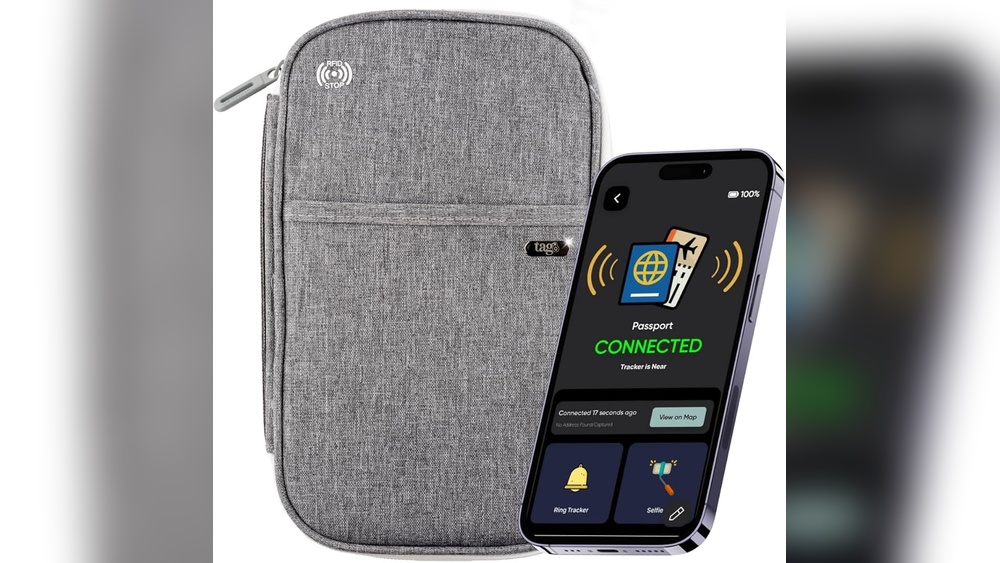
Turn on your Bluetooth tracker and open its app on your phone. Follow the app instructions to connect the tracker with your smartphone. Make sure your phone’s Bluetooth is active. The app will show a confirmation once paired. Keep your phone close to the tracker during this process.
Customizing Alerts And Notifications
Open the app settings to set alerts. Choose how and when you want to get notifications. You can set alerts for when the tracker moves away from your phone. Adjust sound or vibration alerts to your preference. Customize notifications to fit your travel needs.
Testing Tracker Functionality
Test the tracker before leaving. Move the tracker out of Bluetooth range. Check if your phone sends an alert. Try ringing the tracker through the app to find it easily. Confirm all features work well to avoid problems on the trip.
Using Trackers For Luggage Safety
Using Bluetooth trackers for luggage safety offers peace of mind during travel. These small devices help you keep an eye on your bags at all times. They make it easier to locate lost or misplaced luggage quickly. Travelers can avoid stress and delays by using these trackers smartly.
Attaching Trackers Securely
Attach the tracker in a hidden but accessible spot on your luggage. Use straps or adhesive pads that come with the device. Make sure it stays firmly in place during movement. Avoid loose placements that may cause the tracker to fall off. Secure attachment helps in accurate tracking throughout the journey.
Monitoring Luggage In Transit
Check the tracker’s app regularly to see your luggage location. Many apps show real-time updates and alerts on your phone. Keep the phone connected to the tracker via Bluetooth. This helps spot any unusual movement or delays quickly. Monitoring your luggage reduces the risk of losing it during travel.
Responding To Lost Item Alerts
Set up notifications to receive alerts if your luggage moves away. Act fast when you get a lost item alert on your phone. Use the app’s map to find the exact location of your luggage. Contact airport staff or local authorities if needed. Quick response increases the chances of recovering your bags.
Credit: www.mileagewise.com
Protecting Personal Items On The Go
Traveling means carrying many small, important items. Losing them can cause stress and delays. Bluetooth trackers help keep personal belongings safe and easy to find. These devices attach to items and connect to your phone. They alert you if something goes missing. Protect your valuables and enjoy peace of mind on every trip.
Tracking Wallets And Keys
Wallets and keys are easy to misplace during travel. Attach a Bluetooth tracker to these items. The tracker connects to your phone app. You can see the last known location. If lost, use the app to ring the tracker. This makes finding your wallet or keys faster and simpler.
Using Trackers In Crowded Areas
Crowded places increase the risk of losing items. Bluetooth trackers help keep belongings close. The app alerts you if an item moves out of range. This feature is useful in busy airports or markets. It helps you stay aware and act quickly.
Preventing Theft And Loss
Trackers also deter theft. Thieves avoid items that can be traced. Set alerts for unusual movement of your belongings. Receive instant notifications to check your items. This early warning reduces the chance of losing valuables. Keep your items safe by using Bluetooth trackers every trip.
Maximizing Travel Security With Trackers
Traveling can bring many surprises, some good and some not. Using Bluetooth trackers helps protect your belongings. These small devices keep your important items safe and give you peace of mind. You can track your bags, keys, or even your wallet during trips. The key is to use these trackers smartly to boost your travel security.
Integrating With Travel Apps
Many Bluetooth trackers work well with travel apps on your phone. These apps show the exact location of your items on a map. You can set alerts for when you leave something behind. Some apps also notify you if your tracker moves far away. This feature is helpful in crowded places like airports or train stations.
Sharing Tracker Access With Trusted Contacts
You can share your tracker’s location with family or friends. This feature helps if you lose your item and cannot find it yourself. Trusted contacts can help track and recover your belongings quickly. It also adds a layer of safety, especially during solo travels. Sharing access is simple and can be done through the tracker app.
Using Multiple Trackers For Group Safety
When traveling in groups, using several trackers increases safety. Each member can attach a tracker to their important items. Group members can keep an eye on each other’s belongings. This reduces the risk of losing items during busy trips. It also helps coordinate and stay connected in unfamiliar places.
Troubleshooting Common Issues
Bluetooth trackers help keep your belongings safe during trips. Sometimes, these devices face common problems. Knowing how to fix them saves time and stress. Below are simple tips to solve usual issues quickly.
Lost Connection Solutions
Trackers can lose connection due to distance or interference. Keep your phone and tracker close to maintain signal. Move away from walls or metal objects that block Bluetooth. Restart your phone’s Bluetooth to refresh the connection. Re-pair the tracker with your phone if the problem stays. Check the tracker app for any alerts or warnings.
Battery Replacement Tips
Low battery causes trackers to stop working. Check battery status regularly in the app. Use the right battery type recommended by the maker. Open the tracker carefully to avoid damage. Replace the battery and close the device securely. Dispose of old batteries safely to protect the environment.
Updating Tracker Firmware
Firmware updates improve tracker performance and fix bugs. Connect your tracker to the phone or computer. Open the tracker app and check for updates. Download and install updates following on-screen instructions. Keep the tracker charged during the update process. Restart the tracker after updating to apply changes.
Frequently Asked Questions
What Are Bluetooth Trackers And How Do They Work On Trips?
Bluetooth trackers are small devices that attach to items. They connect to your phone via Bluetooth to help find lost belongings.
How Can Bluetooth Trackers Improve Travel Safety?
They help locate important items like passports, bags, or keys quickly. This reduces the stress of losing valuables during trips.
Which Items Should I Attach Bluetooth Trackers To When Traveling?
Attach them to your luggage, wallet, camera, and keys. These are the most commonly lost or misplaced items on trips.
Can Bluetooth Trackers Work Without Internet During Travel?
Yes, they use Bluetooth, not the internet, to connect with your phone. Some models also use nearby devices to help find lost items.
How Long Does The Battery Of A Bluetooth Tracker Last On Trips?
Most Bluetooth trackers have batteries that last from several months to a year. Always check battery life before starting your trip to avoid surprises.
Conclusion
Bluetooth trackers help keep your belongings safe on trips. Attach them to bags, keys, or wallets. Use the app to find lost items quickly. They save time and reduce stress while traveling. Remember to check battery life before you leave.
Small devices, big peace of mind. Travel smarter and worry less with Bluetooth trackers. Try them on your next trip and see the difference. Staying organized has never been easier. Safe travels!