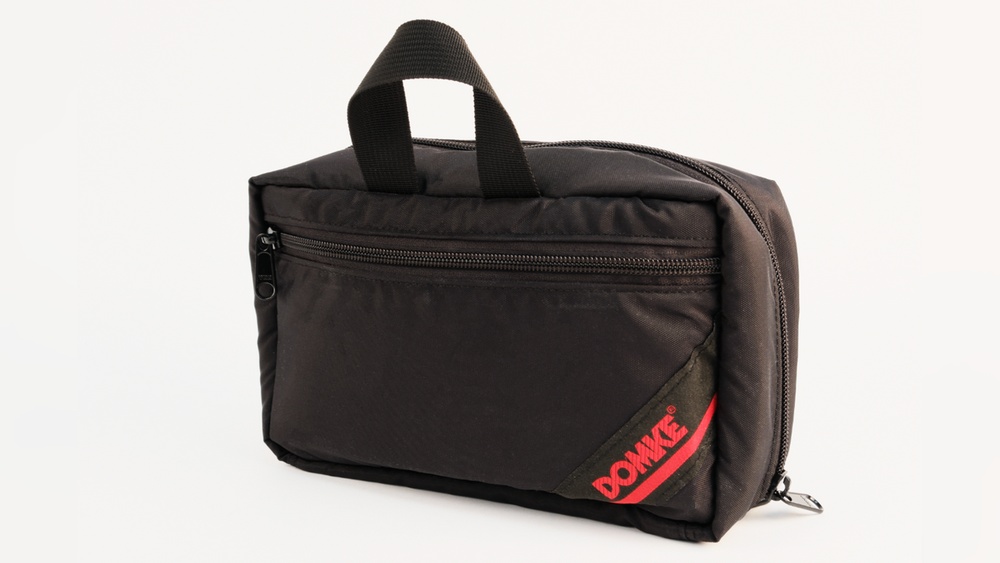
Are you tired of digging through a tangled mess every time you need your charger or earbuds? Organizing your tech pouch efficiently can save you time, reduce stress, and keep your gadgets safe.
Imagine opening your pouch and instantly finding exactly what you need without any hassle. You’ll discover simple and smart ways to arrange your tech accessories so they stay neat and ready to use. Keep reading, and transform your tech pouch into a clutter-free zone you’ll actually enjoy carrying around.

Credit: bag-all-europe.com
Choosing The Right Tech Pouch
Choosing the right tech pouch helps keep your gadgets safe and tidy. It saves time and avoids frustration. The right pouch fits your needs and matches your style.
Size And Capacity
Pick a pouch that fits your devices well. Small pouches suit chargers and cables. Bigger ones hold tablets and power banks. Avoid too large pouches. They can be bulky and hard to carry.
Material And Durability
Choose strong materials like nylon or polyester. These protect against water and scratches. Check for sturdy zippers and seams. A durable pouch lasts longer and protects your gear better.
Compartments And Features
Look for multiple compartments to separate items. Mesh pockets help see contents easily. Elastic bands keep cables from tangling. Some pouches have padded sections for extra protection.

Credit: loctote.com
Categorizing Your Tech Items
Organizing tech pouches starts with sorting items into clear groups. Grouping items helps find them fast. It also keeps your pouch neat and tidy. Think about the purpose of each item. Sort them by how you use them or their size.
Essential Gadgets
These are the main devices you use daily. Examples include phones, tablets, and portable hard drives. Keep these gadgets in a separate section. It protects them from damage and makes them easy to reach.
Cables And Chargers
Cables and chargers often get tangled. Use small ties or bands to keep cables neat. Store chargers in a different part of the pouch. This prevents clutter and saves time searching.
Accessories And Extras
This group includes earbuds, memory cards, and USB sticks. Put these small items in a pocket or mini pouch. Keeping them separate stops them from getting lost. It also keeps your tech pouch organized and ready to use.
Maximizing Space Inside The Pouch
Maximizing space inside a tech pouch helps keep all gadgets and accessories neat. It saves time and avoids tangled cables. A well-organized pouch makes travel or daily use easier. Small tools and cables fit perfectly without wasting space.
Using Cable Organizers
Cable organizers keep wires separated and untangled. They come in many shapes like clips, ties, and pouches. Using them prevents cables from twisting and breaking. Organizers help quickly find the right cable. This method protects cables and saves room in the pouch.
Rolling Vs Folding Cables
Rolling cables is compact and prevents kinks. It also stops cables from getting tangled. Folding cables takes more space and can cause damage. Rolling works best for longer cables. Choose rolling to save space and keep cables safe.
Stacking And Layering Techniques
Stack small items flat to use vertical space. Layer items by size, placing thin ones at the bottom. Use zippered sections to separate layers. This method keeps items visible and easy to reach. Stacking and layering make full use of pouch space.
Labeling And Quick Access
Labeling and quick access make organizing tech pouches simple and fast. Clear labels help find items without digging. Quick access saves time when you need gadgets on the go.
Color-coding
Assign colors to different categories of tech gear. Use red for chargers, blue for cables, and green for adapters. Colors catch the eye and guide you immediately. This method reduces confusion and speeds up retrieval.
Using Tags Or Stickers
Attach small tags or stickers to each item or pouch section. Write the item name or purpose on the tag. Stickers with icons also work well. Tags keep things clear and prevent mix-ups.
Prioritizing Frequently Used Items
Place the most used gadgets at the top or front of the pouch. Items like phone chargers or earbuds should be easy to grab. This setup limits searching and keeps essentials within reach.
Maintaining And Updating Your Pouch
Keeping your tech pouch in good shape helps you stay organized and ready. A well-maintained pouch saves time and avoids frustration. Regular care ensures all your gadgets and cables are easy to find and work well.
Regular Decluttering
Remove items you no longer need from your pouch. Old cables, broken chargers, and unused gadgets only take up space. Sort through your pouch at least once a month. This keeps everything neat and easy to access.
Replacing Worn Accessories
Check your accessories for damage regularly. Frayed cords and cracked cases can cause problems. Replace worn items quickly to keep your tech safe. Fresh accessories improve your pouch’s look and function.
Adapting To New Tech Needs
Your tech changes over time. Add new gadgets or accessories as needed. Remove items that are no longer useful. Adjust your pouch to fit your current tech lifestyle. This keeps your pouch practical and efficient.
Travel-friendly Packing Tips
Packing tech pouches for travel requires smart planning. You want to carry essentials without extra bulk or weight. Organizing thoughtfully keeps your devices safe and easy to find. Follow these travel-friendly packing tips to keep your tech gear ready and light.
Balancing Weight And Bulk
Keep your tech pouch light by packing only what you need. Avoid carrying heavy chargers or cables you won’t use. Use smaller versions of devices when possible. Distribute weight evenly inside the pouch to prevent strain on one side. This balance makes carrying easier and reduces wear on your bag.
Securing Fragile Items
Wrap fragile tech items in soft cloth or bubble wrap. Place these items in the center of the pouch for extra protection. Use padded compartments to separate delicate gadgets from hard objects. Keep cables and accessories organized to avoid tangling and damage. Proper protection helps prevent costly repairs or replacements.
Using External Pouch Attachments
External attachments add extra storage without cluttering your main pouch. Clip small pouches for earbuds or memory cards on the outside. Use carabiners or straps to secure external pouches to your bag. This setup keeps frequently used items handy and frees space inside. External attachments enhance organization and quick access during travel.
Frequently Asked Questions
What Are The Best Items To Keep In A Tech Pouch?
Keep chargers, cables, earbuds, USB drives, and power banks. These items are small but essential for daily tech use.
How Can I Prevent Cables From Tangling In My Pouch?
Use cable ties or small pouches to wrap cables separately. This stops knots and saves time when you need them.
What Size Tech Pouch Is Ideal For Travel?
Choose a medium-sized pouch that fits your essentials without being bulky. It should easily fit in a backpack or handbag.
How Do I Clean And Maintain My Tech Pouch?
Wipe the pouch with a damp cloth regularly. Avoid harsh chemicals to keep the material safe and durable.
Can Organizing A Tech Pouch Save Time During Travel?
Yes, organized pouches help you find items quickly. It reduces stress and makes packing and unpacking easier.
Conclusion
Organizing tech pouches can save time and reduce stress. Keep cables, chargers, and gadgets in separate compartments. Use small bags or elastic bands to avoid tangles. Label sections to find items quickly. Regularly check and clean your pouch for better order.
Simple steps make a big difference every day. Stay prepared and enjoy hassle-free tech access.