You have important documents that need protection every time you travel or move around. But how do you keep them safe without carrying bulky folders or worrying about theft?
Imagine a simple way to carry your papers and files securely, using gadgets designed just for that. You’ll discover easy tips and smart tools that help you protect your documents wherever you go. Ready to make your document-carrying safer and stress-free?
Keep reading to find out how.
Choosing The Right Gadget
Choosing the right gadget to carry your documents safely is important. The right device protects your data and keeps it easy to access. Different gadgets offer different levels of security and convenience. Picking a gadget depends on your needs and how often you carry documents.
Smartphones With Secure Storage
Many smartphones have built-in secure storage options. These features protect files with passwords or fingerprint locks. Some phones encrypt data, making it hard for others to access. Using secure apps also helps keep documents safe. Smartphones are great for people who need quick access on the go.
Encrypted Usb Drives
Encrypted USB drives store files with strong security. They require a password to open the data. Some drives use hardware encryption for extra safety. These drives are small and easy to carry. They work well for people who want offline document storage.
Portable Hard Drives With Passwords
Portable hard drives offer large storage space for many files. Many models include password protection and encryption. These drives connect easily to laptops and desktops. They suit users who carry many documents or large files. Passwords keep data safe from unauthorized access.
Smart Wallets And Document Holders
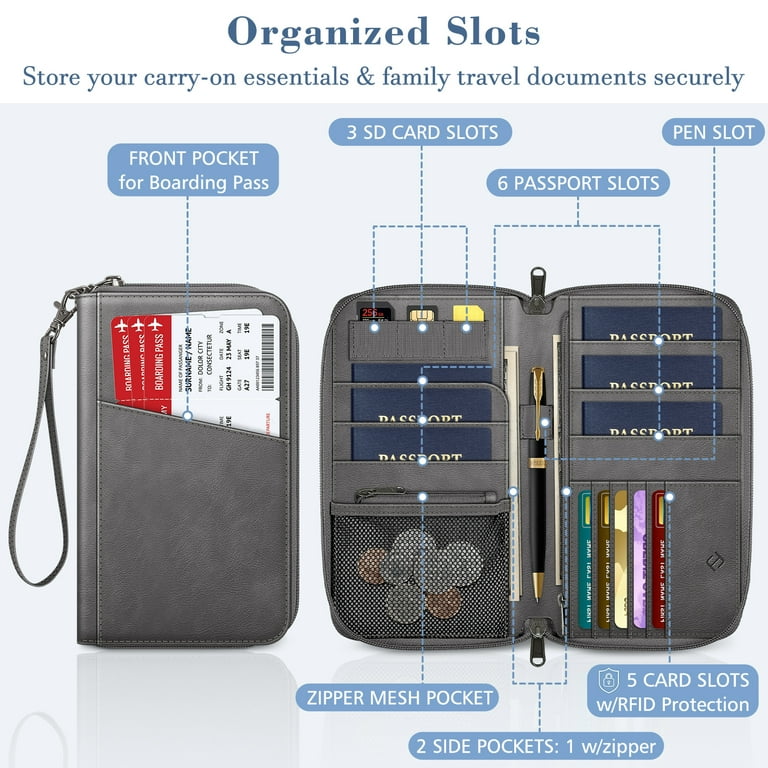
Smart wallets combine traditional wallets with digital security features. Some include RFID blocking to stop wireless theft. Others have slots for important paper documents. These wallets keep physical and digital documents safe. They are good for people who prefer carrying paper and gadgets together.
Credit: www.walmart.com
Encrypting Your Documents
Protecting your documents is key when carrying them on gadgets. Encryption helps keep files safe from unauthorized access. It changes your data into a secret code.
Only people with the right key or password can read encrypted files. This adds a strong layer of security. You can use different methods to encrypt your documents.
Using Encryption Software
Encryption software scrambles your files to prevent others from reading them. Programs like VeraCrypt and BitLocker are popular choices. They work on computers and some mobile devices. You just select the files and run the software to encrypt them. This way, even if your gadget is lost, the files remain protected.
Password Protecting Files
Password protecting is a simple way to secure documents. Many programs let you add a password to files or folders. Microsoft Office and PDF readers offer this feature. Choose a strong password with letters, numbers, and symbols. Avoid easy passwords like “1234” or “password.” This stops casual users from opening your files.
Two-factor Authentication
Two-factor authentication (2FA) adds extra protection when accessing files. It requires two proofs: a password and a code sent to your phone. Even if someone knows your password, they cannot open files without the second factor. Many cloud services and apps support 2FA. Enable it to keep your documents safer on gadgets.
Safe Transfer Methods
Transferring documents safely is vital in today’s digital world. Sending files without protection risks data theft or loss. Using secure methods keeps your information private and intact. Simple tools and smart habits can protect your documents during transfer.
Secure Cloud Storage Options
Cloud storage offers easy access to your files from anywhere. Choose providers with strong security measures like encryption. Encrypt files before uploading for extra safety. Use two-factor authentication to protect your account. Check the provider’s privacy policy to understand data use.
Encrypted Email Services
Email is common for sharing documents but needs protection. Use encrypted email services to secure messages and attachments. These services scramble data so only the receiver can read it. Avoid sending sensitive files through regular email. Always verify the recipient’s email before sending.
Bluetooth And Wi-fi Security Tips
Avoid transferring documents over public Wi-Fi networks. Public networks are often not secure and can expose your files. Turn off Bluetooth when not in use to prevent hacking. Use personal hotspots or trusted networks for transfers. Keep your device’s software updated to patch security holes.
Credit: lepaystchad.com
Physical Security For Gadgets
Protecting your gadgets is key to keeping your documents safe. Physical security means guarding your devices against theft and damage. Small steps can make a big difference in security. These tips help you carry your gadgets safely every day.
Using Anti-theft Cases
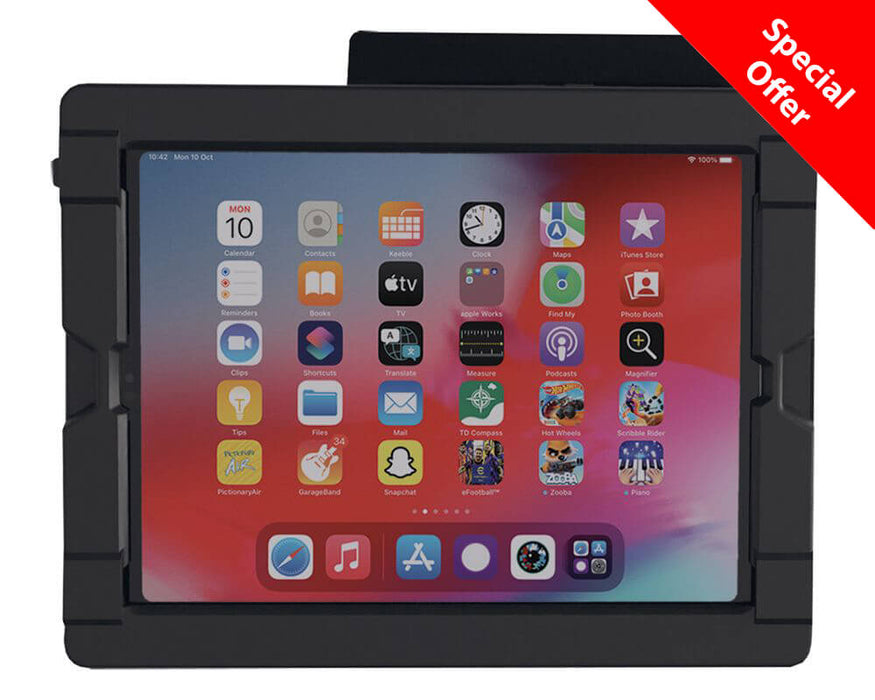
Anti-theft cases add an extra layer of protection to your gadgets. They have strong zippers and cut-proof materials. Some cases include locks or RFID-blocking pockets. These features stop thieves from stealing or scanning your data. Choose a case that fits your device well.
Keeping Devices Close
Keep your gadgets near your body at all times. Use bags with secure straps or pockets. Avoid placing devices in loose or open bags. Holding devices in hand or using crossbody bags works best. Staying close reduces the chance of theft or loss.
Avoiding Public Exposure
Do not leave gadgets unattended in public places. Avoid using devices in crowded or risky areas. Cover screens to prevent prying eyes from seeing sensitive information. Store devices safely when not in use. This lowers the risk of theft and data leaks.
Backup And Recovery Plans
Backup and recovery plans protect your important documents on gadgets. Devices can fail or get lost. Without backups, data may disappear forever. A good plan keeps your files safe and easy to restore. Regular backups and smart tools help avoid stress and loss.
Creating Multiple Backups
Store copies of documents in different places. Use external hard drives, USB sticks, or cloud storage. Keep one backup offline to avoid online threats. Multiple backups reduce risks of losing data. Check backups often to ensure they work well.
Using Remote Wipe Features
Remote wipe erases data if your device is stolen. Activate this feature on smartphones and laptops. It protects sensitive documents from falling into wrong hands. Set it up before any loss happens. Quick action can save your privacy and files.
Regularly Updating Security Settings
Update passwords and security apps often. Use strong, unique passwords for each account. Turn on two-factor authentication if available. Updates fix security holes and improve protection. Staying current keeps your documents safer from hackers.
Credit: www.inclusive.com
Best Practices On The Go
Carrying important documents on gadgets needs extra care. Protecting your files while moving is crucial. Follow simple steps to keep your data safe and private.
Avoiding Public Wi-fi Risks
Public Wi-Fi networks are easy targets for hackers. Avoid accessing sensitive documents on open networks. Use your mobile data or trusted connections instead. Turn off automatic Wi-Fi connection on your device. This stops your device from joining unsafe networks without warning.
Using Vpns For Secure Access
VPNs create a secure tunnel for your internet connection. They hide your real IP address and encrypt data. Choose a reliable VPN service to protect your online activity. Always connect to VPN before opening any important files. This adds a strong layer of security on the go.
Monitoring Device Activity
Regularly check your device for unusual behavior. Look for apps or files you don’t recognize. Keep your system and antivirus software updated. Use built-in tools to track recent logins and access history. Early detection helps prevent data theft or loss.
Frequently Asked Questions
How Can I Protect Documents On My Gadgets?
Use strong passwords and enable encryption to keep documents safe on your devices.
What Gadgets Are Best For Carrying Important Documents?
Smartphones, tablets, and USB drives are convenient for carrying digital documents securely.
How Do I Back Up Documents Securely On Gadgets?
Use cloud storage with two-factor authentication or external encrypted drives for backups.
Is It Safe To Carry Physical Documents With Gadgets?
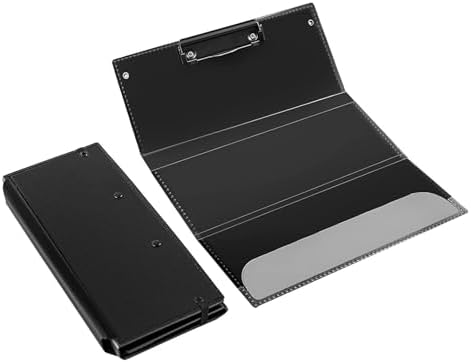
Keep physical documents in a secure folder or case to avoid damage or loss.
Conclusion
Carrying documents safely is very important today. Use gadgets that keep your papers secure and easy to find. Choose devices with strong locks and good protection. Keep digital copies as backup on your phone or cloud. Always check your gadgets before leaving home.
Small steps can stop big problems. Stay safe and smart with your documents. This way, you avoid loss and stress. Simple habits make a big difference every day. Trust your tools and stay organized.