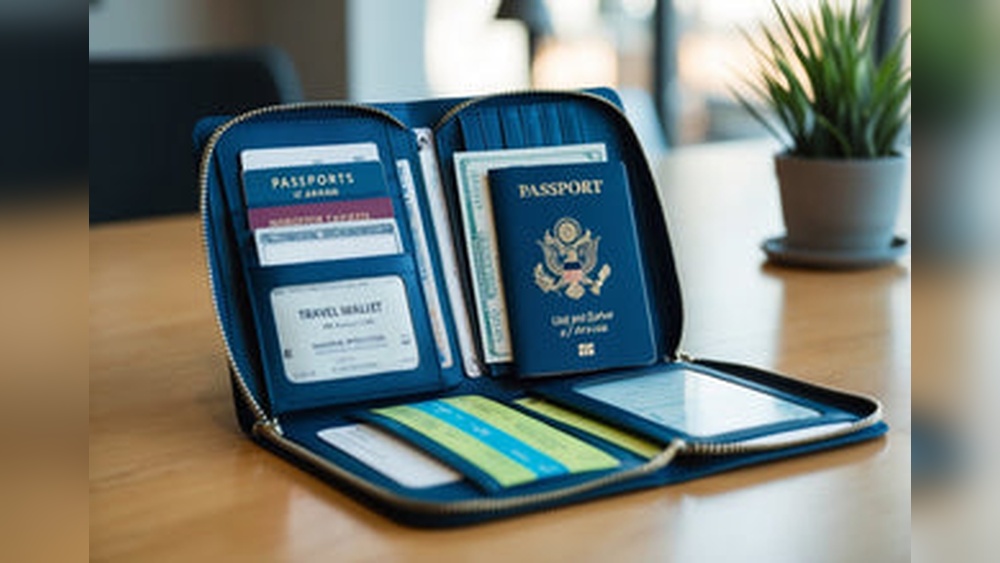
Losing important travel documents can turn your trip into a stressful nightmare. Imagine arriving at the airport only to realize your passport or tickets are missing.
You don’t want that to happen to you. Backing up your travel documents digitally is the smartest way to stay safe and prepared. You’ll discover simple, effective steps to protect your documents with just a few clicks. Keep reading to learn how to secure your travel essentials and enjoy your trip with peace of mind.
Why Digital Backup Matters
Backing up travel documents digitally is important for every traveler. Paper copies can be lost, stolen, or damaged. Digital backups keep important papers safe and easy to find. They help travelers avoid stress and delays during trips. This section explains why digital backup matters.
Risks Of Losing Physical Documents
Physical documents can be lost in many ways. They may fall out of bags or wallets. Theft is a common risk during travel. Documents can get wet from rain or spills. Damage from fire or accidents also happens. Losing these papers can stop travel plans instantly. Replacing them can take days or weeks. This causes stress and extra expenses. Travelers without backups face trouble proving their identity or bookings.
Benefits Of Digital Copies
Digital copies offer safety and convenience. They can be stored on phones, cloud, or USB drives. Easy access means you find documents quickly. Multiple copies can be made to avoid total loss. Sharing documents with airlines or hotels is simple. Digital files do not wear out or fade. They stay safe even if the original is lost. Digital backup saves time and reduces worry during travel.
Credit: caep.org
Choosing The Right Backup Method
Choosing the right backup method is key to keeping travel documents safe. Digital backups protect important files from loss or damage. The choice depends on ease, security, and access. Some methods offer quick sharing, while others focus on strong protection. It helps to know your options before you travel.
Cloud Storage Options
Cloud storage lets you save documents online. Services like Google Drive and Dropbox store files safely. You can access them from any device with internet. This method is easy and fast. It also allows sharing with trusted people. Keep your account protected with a strong password. Cloud storage is good for quick access and backup.
External Drives And Usbs
External drives and USB sticks keep files offline. They work well without internet connection. Carry them carefully to avoid damage or loss. These devices provide full control of your data. Use clear labels to organize your documents. This method suits travelers who prefer physical backups. Remember to update files regularly for accuracy.
Encrypted Backup Services
Encrypted backup services add extra security. They protect files with strong encryption codes. Only you can access the information with a password. This method is best for sensitive documents like passports. Encryption stops unauthorized access during storage or transfer. Choose services with good reputation for encryption. Secure backups give peace of mind while traveling.
Preparing Documents For Backup
Preparing your travel documents for digital backup is a key step. It helps keep your important papers safe and easy to find. Good preparation makes the backup process smooth and effective. Follow simple steps to get clear, organized digital copies.
Scanning Tips For Clarity
Use a clean scanner glass for sharp images. Place documents flat to avoid shadows. Scan at 300 dpi for clear text and images. Check each scan for blur or cut edges. Rescan if the document is not fully visible.
Organizing Files Efficiently
Create folders by document type, like passports or tickets. Name files clearly with date and document name. Use consistent naming to find files quickly. Group related documents together in one folder. Avoid clutter by deleting duplicates or old files.
File Formats To Use
Save documents as PDF for easy viewing and sharing. Use JPEG only for photos or images. PDFs keep text clear and support multiple pages. Avoid uncommon formats that may not open everywhere. Keep backups in widely used file types for safety.

Credit: www.amazon.com
Securing Your Digital Backups
Backing up travel documents digitally is smart and saves stress. Protecting these backups is just as important as making them. Digital files can be stolen or lost if not secured properly.
Follow simple steps to keep your information safe. Strong security stops hackers and keeps your details private.
Using Strong Passwords
Create passwords that are hard to guess. Use a mix of letters, numbers, and symbols. Avoid common words or dates. Change passwords often to keep accounts safe.
Enabling Two-factor Authentication
Turn on two-factor authentication (2FA) on your accounts. It asks for a second code besides your password. This extra step blocks unauthorized access. Use apps like Google Authenticator for better security.
Encrypting Files
Encrypt your backup files before saving them. Encryption scrambles data so only you can read it. Use trusted software to lock your documents. This keeps your files safe, even if someone gets them.
Accessing Backups On The Go
Accessing your travel document backups while traveling is essential. It ensures you have important files ready whenever needed. Traveling can bring unexpected moments where digital copies become lifesavers. Being able to reach these backups quickly keeps your trip smooth and stress-free.
Mobile Access Strategies
Use cloud storage apps on your smartphone for instant access. Services like Google Drive or Dropbox let you open files anytime. Keep your login details safe and use strong passwords. Enable two-factor authentication for extra security. Organize documents in clear folders for faster retrieval. Bookmark important files to find them without searching.
Offline Access Solutions
Download copies of your travel documents to your device. This helps when internet is slow or unavailable. Save files in PDF format for easy opening on any device. Use apps that allow offline viewing, like Adobe Acrobat Reader. Carry a portable charger to keep your devices powered. Store backups on USB drives or external hard drives as a second option.
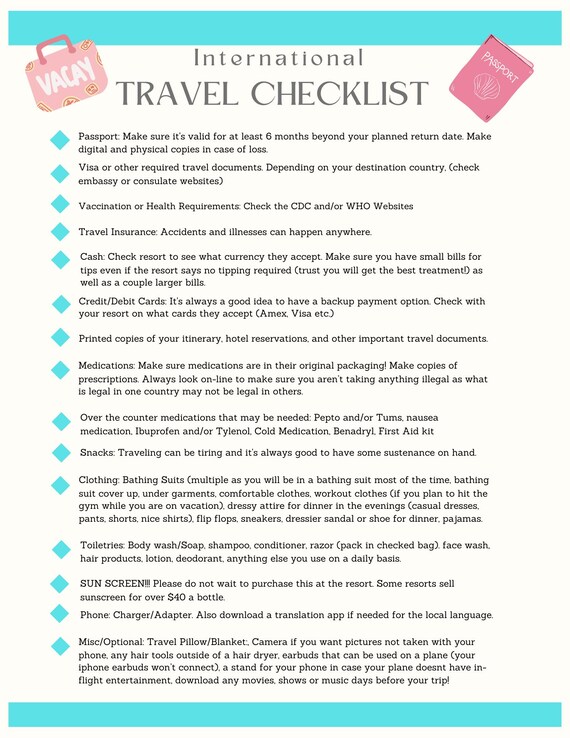
Credit: www.etsy.com
Maintaining And Updating Backups
Maintaining and updating your digital backups of travel documents is essential. It ensures your information stays accurate and ready for use. Without regular updates, backups can become outdated or incomplete. This can cause problems during travel or emergencies. Keep your backups fresh and reliable.
Regular Backup Schedule
Create a routine to back up your travel documents regularly. Weekly or monthly checks work well. Set reminders on your phone or calendar. This habit protects your data from loss or damage. Use cloud storage and external drives for extra safety. Consistency keeps your backups current and secure.
Updating Documents After Travel
After each trip, review your saved documents. Update any changes, like new visas or travel permits. Remove old or expired documents to avoid confusion. This practice keeps your backups clean and useful. Accurate records help you prepare for future trips easily.
Frequently Asked Questions
What Are The Best Methods To Backup Travel Documents Digitally?
Store copies on cloud services like Google Drive or Dropbox. Use password protection for extra safety. Also, keep copies on a USB drive as a backup.
How Can I Secure My Digital Travel Documents?
Use strong passwords and two-factor authentication on storage accounts. Avoid public Wi-Fi when accessing sensitive files. Regularly update your passwords for better protection.
Which Travel Documents Should I Backup Digitally?
Include your passport, visa, ID cards, travel insurance, and tickets. Also, save hotel bookings and emergency contacts. Keep all important papers in one secure folder.
Can I Access My Digital Backups Without Internet?
Yes, if you save documents on your phone or USB drive. Offline access helps during poor internet or emergencies. Always keep a local copy besides cloud storage.
How Often Should I Update My Digital Travel Backups?
Update backups before every trip to include new documents. Regular updates ensure all information is current and complete. This prevents last-minute issues while traveling.
Conclusion
Backing up travel documents digitally keeps important papers safe and easy to access. Use cloud storage or email copies to yourself. Always keep backups on different devices for extra security. This simple step saves time and stress during trips. Protect your travel plans by staying prepared.
Digital backups make travel smoother and worry-free. Start backing up your documents today.