Traveling should be exciting, but safety is always a top concern. What if you could use your phone to protect yourself and stay informed wherever you go?
Travel apps are powerful tools that can help you avoid risks, find help quickly, and make smarter decisions on the road. You’ll discover simple ways to use these apps to keep yourself safe and confident during every trip. Ready to take control of your travel safety?
Let’s dive in.
Choosing The Right Travel Apps
Choosing the right travel apps can make your trip safer and easier. Not all apps offer the same features, so it is important to pick ones that truly help you stay secure. The best travel apps provide real-time updates, emergency contacts, and easy navigation. These tools give peace of mind and help avoid risky situations.
Select apps that match your travel needs. Some focus on local safety alerts, while others provide offline maps or SOS functions. Think about your destination and what type of support you might require. This careful selection can protect you and enhance your travel experience.
Features To Look For
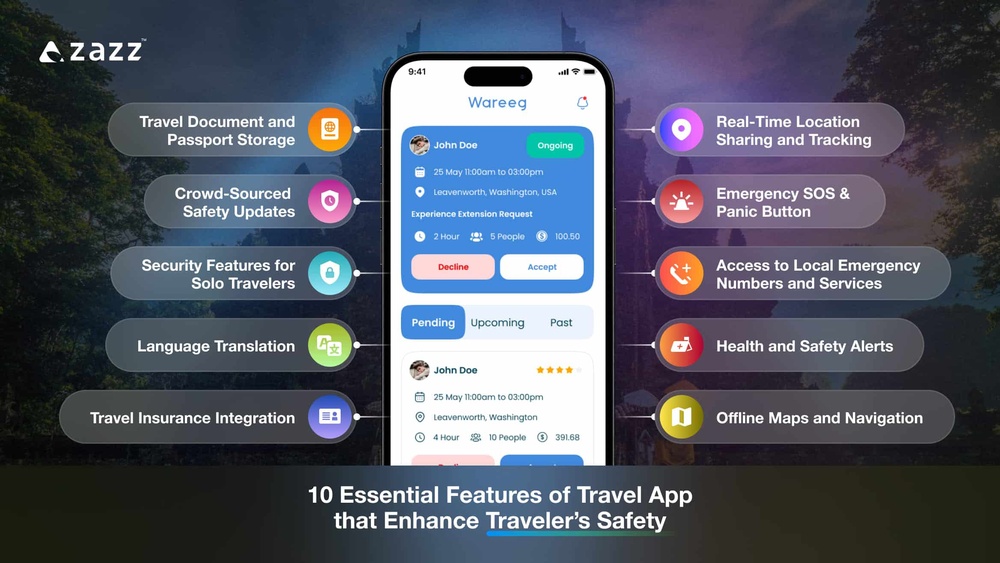
Safety apps should have clear and simple interfaces. Quick access to emergency numbers is crucial. Real-time location sharing with trusted contacts adds another layer of protection. Offline map access helps when internet service is weak or unavailable. Alerts about unsafe areas or weather changes keep travelers informed. Battery-saving modes ensure the app works longer in emergencies. Data privacy and app reliability are important to trust the app fully.
Top Safety Apps For Travelers
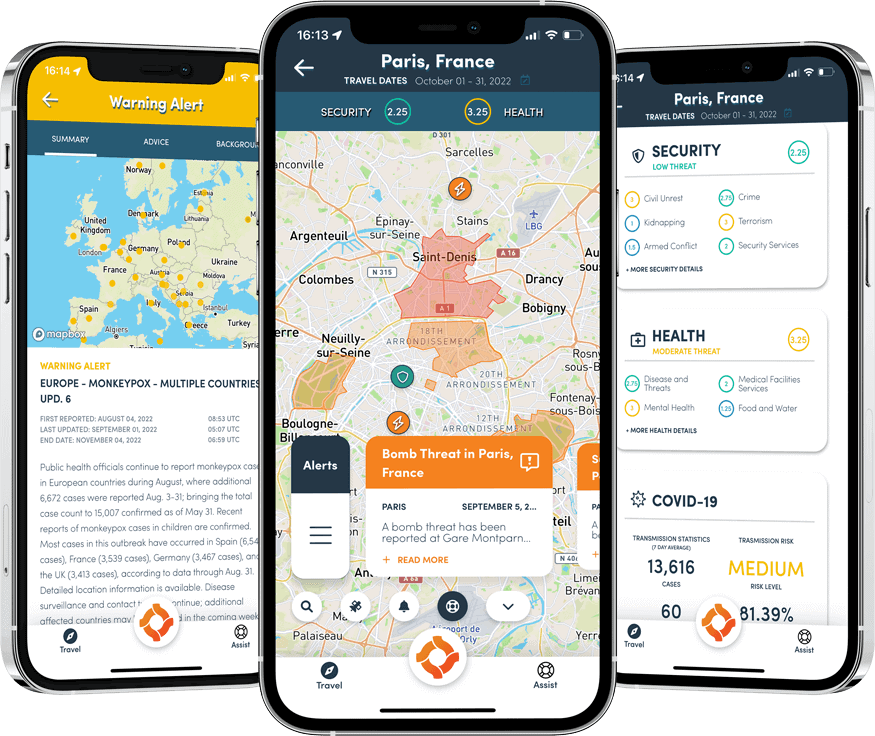
Some apps stand out for their safety features. “bSafe” offers live GPS tracking and an SOS alarm. “TripWhistle” provides emergency numbers for over 200 countries. “Life360” allows family location sharing and alerts. “Sitata” warns about health risks and local threats. “Google Maps” helps with offline navigation and route planning. Choosing apps with these functions helps keep travelers safe and prepared.
Credit: eccontessa.com
Setting Up Apps Before Travel
Setting up travel apps before your trip is key to staying safe. Preparing apps early helps avoid stress and confusion later. It makes sure your information is secure and ready for use. Take time to adjust settings for the best protection. These small steps improve your travel safety significantly.
Creating Secure Accounts
Start by creating accounts with strong passwords. Use a mix of letters, numbers, and symbols. Avoid easy passwords like birthdays or names. Enable two-factor authentication for extra security. This stops hackers from accessing your account easily. Keep your login details private and never share them.
Enabling Location Sharing
Turn on location sharing in your travel apps. Share your location only with trusted friends or family. This helps others find you if you need help. Check app settings to control who sees your location. Turn off sharing when it is not needed. This keeps your location safe and private.
Customizing Safety Alerts
Set up safety alerts to get real-time warnings. Choose alerts for weather, traffic, or local dangers. Make sure notifications are active on your phone. Adjust alert settings to match your travel route. These alerts give you time to react and stay safe. Review alerts regularly to keep them updated.
Using Apps During Your Trip
Using travel apps during your trip helps keep you safe and informed. These apps offer tools that protect you in new places. They make it easier to get help quickly and stay aware of your surroundings. Here are some key features to use while traveling.
Real-time Location Tracking
Real-time location tracking lets trusted friends or family see where you are. It provides peace of mind for both you and your loved ones. Use this feature to share your route or check-in at stops. Some apps send alerts if you go off the planned path. This helps others know if you might need help.
Accessing Emergency Services
Many travel apps connect you directly to emergency services. You can call police, medical help, or fire departments quickly. Some apps also show nearby hospitals or police stations on a map. This saves time in critical moments. Make sure your app supports local emergency numbers for the place you visit.
Staying Updated With Local Alerts
Travel apps provide local alerts about weather, road closures, or safety risks. These alerts keep you informed about sudden changes. Receive warnings about protests, natural disasters, or travel advisories. Staying updated helps you avoid dangerous areas. Always check these alerts regularly during your trip.
Protecting Your Data And Privacy
Travel apps make trips easier, but they also collect your data. Protecting your privacy is key to safe travel. Simple steps can keep your information secure. Learn how to manage app permissions, use safe connections, and avoid public Wi-Fi risks.
Managing Permissions
Check app permissions before downloading. Only allow access to necessary information. Turn off location sharing if not needed. Avoid giving access to contacts or messages. Review permissions regularly to remove unused access.
Using Vpns And Secure Connections
A VPN hides your online activity from hackers. Use a trusted VPN app while traveling. It encrypts your data on public networks. Choose apps with strong security features. This keeps your information safe from spying.
Avoiding Public Wi-fi Risks
Public Wi-Fi can expose your data to hackers. Avoid logging into important accounts on public Wi-Fi. Use mobile data for sensitive tasks. Turn off automatic Wi-Fi connections on your device. Always check if the Wi-Fi network is secure before use.
Handling Emergencies With Apps
Travel apps offer vital tools for handling emergencies quickly and safely. These apps keep help close, even in unfamiliar places. Knowing how to use them can make a big difference during urgent situations. They help you reach emergency services, alert trusted people, and send distress signals fast.
Quick Access To Help
Many travel apps provide easy buttons to call emergency services. You can dial local police, ambulance, or fire departments with one tap. This saves time and avoids confusion in stressful moments. Some apps even show emergency numbers based on your location automatically.
Sharing Your Location With Trusted Contacts
Apps allow you to share your real-time location with family or friends. This feature keeps them informed about your whereabouts. Trusted contacts can track your route and check your safety. It gives peace of mind, knowing someone knows where you are.
Using Sos Features
SOS functions send instant alerts during danger. You can activate these by pressing a button or shaking your phone. The app then sends your location and a help message to preset contacts or authorities. This quick alert can bring faster assistance when every second counts.
Tips For Offline Safety
Travel apps help keep you safe, even without internet access. Offline safety means preparing your phone and apps before traveling. This preparation can save time and reduce stress in emergencies.
Here are simple tips to use travel apps safely when you are offline.
Downloading Maps And Information
Save maps on your phone before you leave. Many apps let you download city maps and guides. This helps you find places without using data. Download important info like public transport routes and landmarks. Keep these files updated for accuracy. Offline maps work even in remote areas.
Emergency Contact Lists
Create a list of emergency contacts on your phone. Include local emergency numbers, your hotel, and family members. Store this list in your notes or a travel app. Make sure you can access it without internet. This list helps you call for help fast.
Battery Management
Keep your phone battery charged at all times. Turn on battery saver mode to extend usage. Close apps running in the background to save power. Carry a portable charger for backup power. A charged phone ensures you can use safety apps when needed.
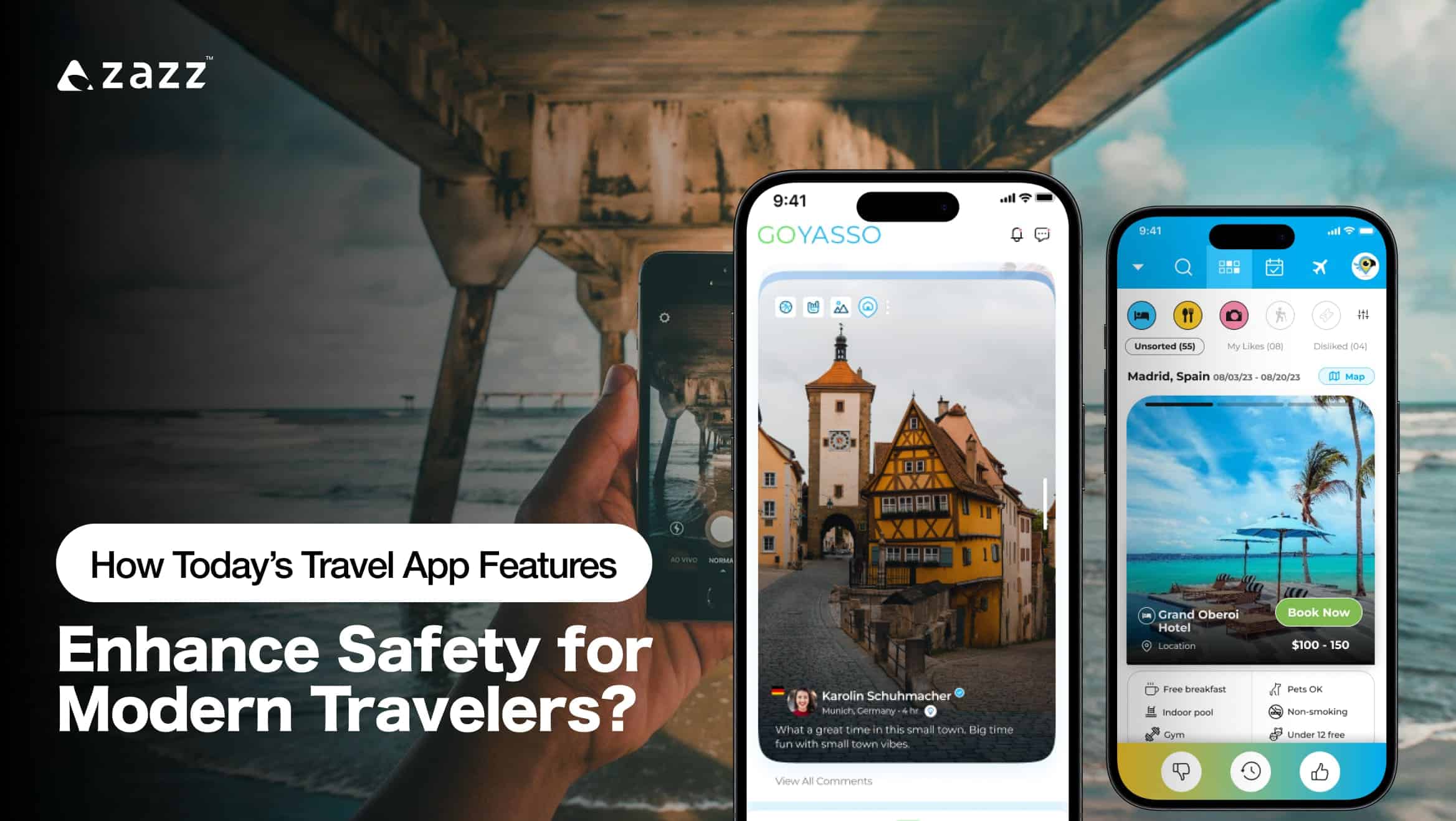
Credit: www.zazz.io
Frequently Asked Questions
What Are The Best Travel Apps For Personal Safety?
Top travel apps for safety include location sharing, emergency alerts, and local emergency numbers. They help you stay connected and informed on the go.
How Can Travel Apps Help In An Emergency Situation?
Travel apps provide quick access to emergency services and send alerts to trusted contacts. They also offer real-time location tracking for faster help.
Can Travel Apps Track My Location Safely?
Yes, many travel apps use secure methods to share your location only with chosen people. This helps keep your whereabouts private and safe.
How Do Travel Apps Warn About Local Safety Risks?
Some apps send alerts about nearby dangers like bad weather or crime. This helps travelers avoid risky areas and stay alert.
Are Travel Apps Useful For Solo Travelers’ Safety?
Travel apps are very helpful for solo travelers by offering check-in features and emergency contacts. They give peace of mind when traveling alone.
Conclusion
Travel apps help keep you safe while exploring new places. They provide real-time updates and easy access to emergency services. Use apps to share your location with trusted contacts. Check reviews before visiting unfamiliar areas. Always keep your phone charged and secure.
These simple steps make travel safer and less stressful. Stay alert, plan ahead, and enjoy your trip with peace of mind. Safe travels start with smart app use.