You rely on your small electronics every day, especially when you’re on the move. But have you ever stopped to think about how easy it is for these devices to get damaged or stop working while traveling?
Imagine losing your phone, headphones, or portable charger right when you need them most. That’s why knowing how to take care of your gadgets on the go is a game-changer. You’ll discover simple, practical tips to keep your small electronics safe and working smoothly during your trips.
Keep reading, and make sure your devices stay as ready as you are.
Packing Essentials
Packing small electronics for travel needs care and smart choices. Proper packing protects devices from damage and loss. It also helps keep everything neat and easy to find. Focus on three key areas: cases, cables, and power sources. These essentials make traveling with gadgets easier and safer.
Choose Protective Cases
Protective cases shield your devices from bumps and drops. Use hard or padded cases for phones, tablets, and cameras. Cases with zippers or closures keep dust and dirt out. A good case fits your device well and does not add much weight. This simple step reduces the risk of damage during travel.
Organize Cables And Chargers
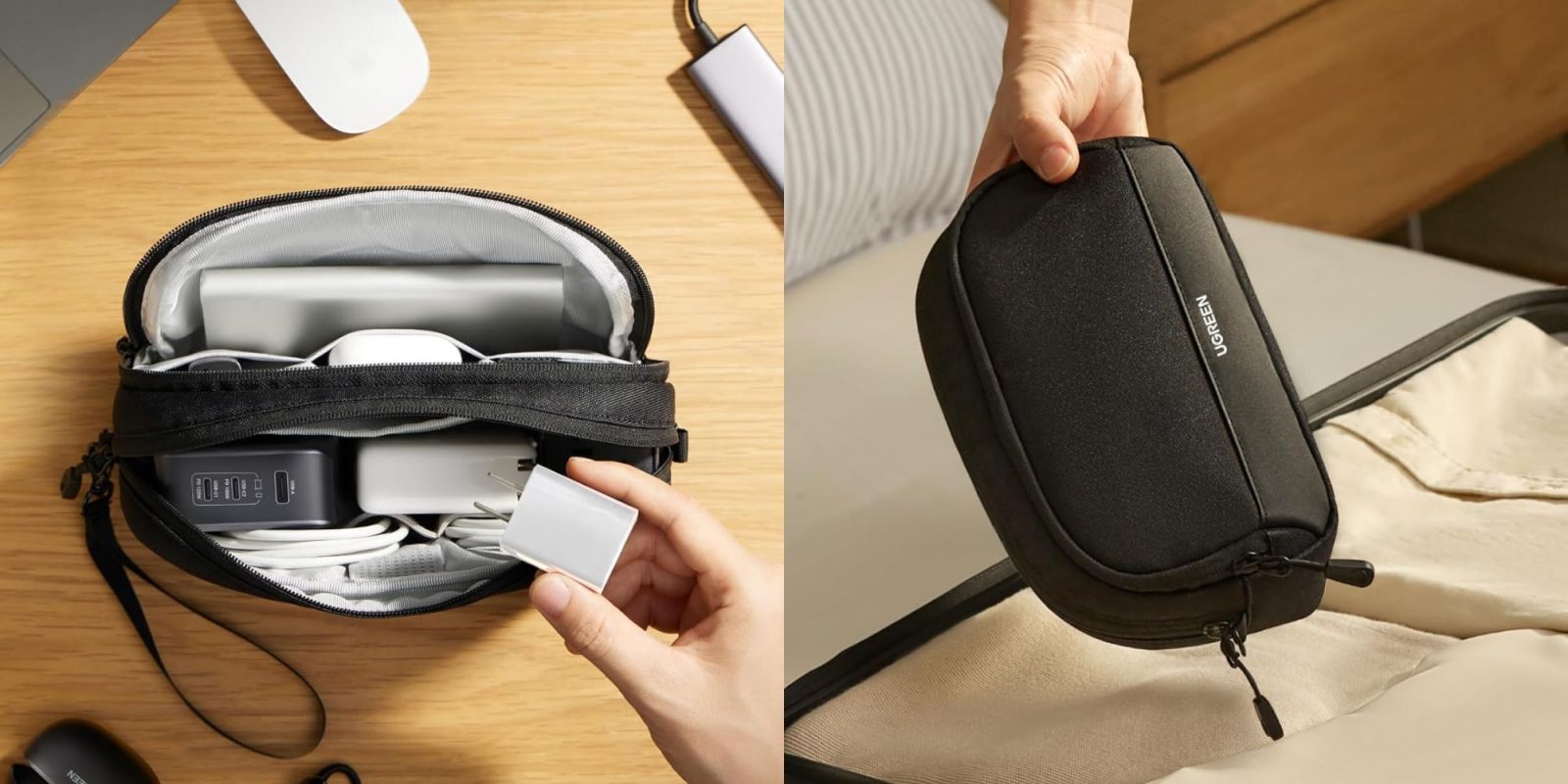
Loose cables can tangle and break in your bag. Use cable organizers or small pouches to keep them tidy. Label each cable to find the right one quickly. Wrap cables gently to avoid bending or fraying. Organized cables save space and prevent frustration on the go.
Use Portable Power Banks
Power banks keep your devices charged without searching for outlets. Choose a compact, lightweight power bank with enough capacity for your needs. Carry a fully charged power bank before travel. This ensures your gadgets stay powered during long trips or outdoor activities.
Credit: 9to5toys.com
Cleaning And Care
Keeping small electronics clean and well cared for is key to their long life. Traveling exposes devices to dirt, moisture, and rough handling. Simple cleaning and care habits protect your gadgets and keep them working smoothly.
Wipe Screens And Surfaces
Use a soft, lint-free cloth to wipe screens gently. Avoid paper towels or rough fabrics that can scratch. Dampen the cloth slightly with water or a screen-safe cleaner. Wipe in a circular motion to remove fingerprints and smudges. Clean surfaces regularly to keep devices looking new.
Keep Devices Dry
Moisture can damage electronics fast. Always store devices in dry places. Use waterproof cases or pouches when near water or rain. If a device gets wet, turn it off immediately. Dry it carefully with a soft cloth and let it air dry before use.
Avoid Dust And Debris
Dust and dirt can clog ports and buttons. Keep devices in protective cases or bags. Use small brushes or compressed air to clean hard-to-reach areas. Avoid placing electronics on dusty or sandy surfaces. Keeping devices free from debris helps them work well longer.
Battery Management
Battery management is key to keeping small electronics working well while traveling. Proper care helps avoid sudden power loss and extends battery life. Simple habits can make a big difference.
Travel can drain batteries faster due to constant use and limited charging spots. Managing battery health before and during travel ensures devices stay ready when needed.
Charge Before Departure
Always fully charge your devices before leaving. This ensures they have maximum power for the journey. It reduces the need to find a charger during travel.
Charge portable batteries and power banks too. They serve as backup power sources for your electronics.
Avoid Overcharging
Unplug devices once they reach 100% charge. Overcharging can reduce battery capacity over time. Use chargers with auto shut-off features if possible.
Keep devices away from heat during charging. High temperatures can damage batteries and shorten their life.
Store Batteries Properly
If not using devices for a while, store batteries in a cool, dry place. Avoid extreme cold or heat. This helps maintain battery health during long trips.
Remove batteries from devices if possible before storing. It prevents slow power drain and potential damage.
Safe Usage On The Go
Safe usage of small electronics while traveling is important. These devices are delicate and need care. Proper handling helps them last longer and work well. Follow simple tips to protect your gadgets on the move.
Avoid Extreme Temperatures
Do not leave devices in hot cars or freezing places. Extreme heat can damage batteries and screens. Cold can make devices slow or stop working. Keep gadgets in a normal temperature range for best use.
Handle Devices Gently
Hold your electronics carefully to avoid drops and bumps. Use padded cases or covers for extra protection. Rough handling can break screens or internal parts. Treat devices like fragile items to keep them safe.
Limit Exposure To Sunlight
Direct sunlight can overheat small electronics quickly. Overheating may cause devices to shut down or fail. Store gadgets in shaded or cool areas when not in use. This helps keep your devices working longer and better.
Security Measures
Keeping small electronics safe while traveling is important. Theft and loss can happen anytime. Taking simple security steps protects your devices and your data. These actions help you avoid stress and loss.
Enable Device Locks
Set strong passwords or PINs on all devices. Use fingerprint or face recognition if available. Locks stop unauthorized access to your phone or tablet. Always lock your device before putting it away. This keeps your information safe from strangers.
Backup Important Data
Save your important files and photos regularly. Use cloud services or external drives for backups. If a device is lost or broken, you can restore your data quickly. Backups reduce the risk of losing precious memories or work.
Use Tracking Apps
Install apps that help find lost devices. These apps show your device’s location on a map. Activate remote locking or wiping features if needed. Tracking apps increase your chances of recovering stolen or lost electronics.

Credit: www.walmart.com
Troubleshooting Tips
Small electronics can act up during travel. Quick fixes help avoid big problems. Troubleshooting tips keep your devices ready and working well. Learn simple steps to handle common issues fast. Stay prepared and enjoy smooth device use.
Reset Devices Safely
Resetting clears errors and restores normal function. Use the proper reset method for each device. Soft reset restarts without losing data. Hard reset returns to factory settings but erases data. Always back up important files before any reset. Follow manufacturer instructions to avoid damage.
Manage Storage Space
Full storage slows devices and causes crashes. Delete unused apps, photos, and files regularly. Use cloud storage for backups and extra space. Clear cache to free temporary files. Organize files to find what you need quickly. Keep enough free space to keep devices fast.
Update Software Regularly
Updates fix bugs and improve performance. Check for software updates before and during trips. Install updates in safe Wi-Fi areas to avoid interruptions. Keep apps and operating systems current. Updated software reduces errors and security risks. Set devices to update automatically if possible.

Credit: www.gattontheatre.org.uk
Frequently Asked Questions
How Can I Protect Small Electronics During Travel?
Use padded cases or sleeves to shield devices from bumps. Keep electronics separate from heavy items in your bag.
What Is The Best Way To Charge Devices While Traveling?
Carry a universal charger and power bank to charge anywhere. Avoid overcharging to keep batteries healthy.
How Do I Clean My Small Electronics On The Go?
Use soft, dry cloths or screen wipes to clean devices. Avoid using water or harsh chemicals.
How Should I Store Electronics To Avoid Damage?
Store devices in a cool, dry place away from direct sunlight. Avoid stacking heavy items on top.
What Precautions Prevent Data Loss In Travel Electronics?
Back up important files to cloud or external drives. Use strong passwords and update software regularly.
Conclusion
Taking care of small electronics while traveling saves time and money. Keep devices clean and dry to avoid damage. Use protective cases and pack chargers carefully. Regularly check batteries and update software. Simple habits protect your gadgets on the go.
Stay organized to find items quickly. Enjoy your trip without worrying about your devices. Small efforts make a big difference in device lifespan. Travel smart, travel safe with well-maintained electronics.