Imagine the sinking feeling when your phone or tablet accidentally takes a dive into water. You might think it’s ruined forever, but what if you could stop water damage before it happens?
Protecting your gadgets from water damage isn’t as hard as you think. With a few simple steps, you can keep your devices safe and working perfectly, even around spills or rain. Ready to learn how to guard your gadgets and avoid costly repairs?
Keep reading—your tech’s safety depends on it.
Common Causes Of Water Damage
Water damage is a common problem for gadgets. Understanding what causes water damage helps protect your devices. Many accidents happen in everyday life. Some causes are obvious, others are not.
Accidental Spills
Spills happen often around gadgets. Drinks like coffee, water, or juice can splash on phones or laptops. Even a small spill can cause serious damage. Liquids can seep inside and harm circuits. Be careful when eating or drinking near your devices.
Rain And Outdoor Exposure
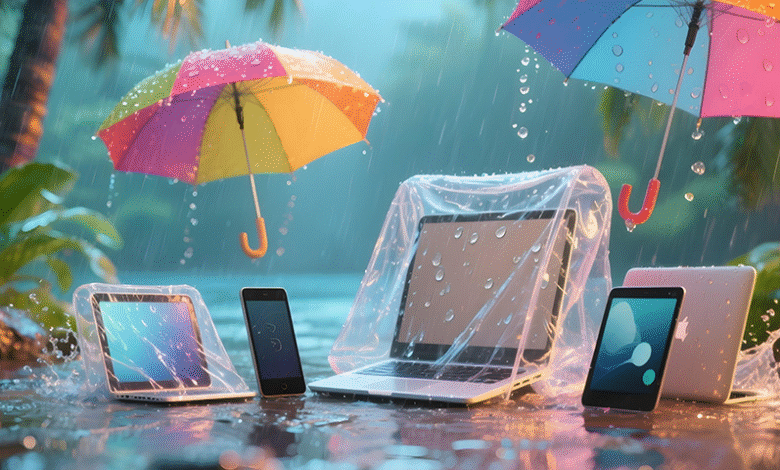
Rain can catch you off guard. Gadgets are not always waterproof. Outdoor use during rain or snow increases risk. Leaving devices outside or near open windows can cause water damage. Protect devices with covers or waterproof cases when outside.
Humidity And Condensation
Humidity is often overlooked. High moisture in the air can affect gadgets over time. Condensation forms when devices move between hot and cold places. This moisture can enter the device and cause damage inside. Store gadgets in dry, cool places to avoid this problem.

Credit: www.puroclean.com
Water-resistant Gadgets And Features
Water-resistant gadgets help protect your devices from accidental spills and splashes. These features reduce the risk of water damage during daily use. Understanding these features helps you choose the right device for your needs. Many gadgets come with special designs to keep water out.
Water resistance is not the same as waterproof. Water-resistant devices can handle some moisture but not full submersion. Knowing the limits of your device’s protection can save it from damage.
Ip Ratings Explained
IP ratings show how well a device resists dust and water. The rating has two numbers. The first number measures dust protection. The second number measures water resistance.
A device with IP67 means it is dust tight and can survive in water up to 1 meter deep for 30 minutes. IP68 offers even better water protection, often allowing deeper or longer submersion. Check the IP rating before buying to know how much water it can handle.
Built-in Water Protection
Manufacturers use special seals to block water entry in gadgets. These seals cover charging ports, buttons, and speakers. Some devices have water-repellent coatings on internal parts. This helps prevent damage if water gets inside.
Designs with fewer openings reduce water risks. For example, wireless charging removes the need for charging ports. This limits places where water can enter. Choosing gadgets with built-in water protection improves device safety.
Preventive Measures For Everyday Use
Protecting gadgets from water damage starts with simple daily actions. Small habits can save devices from costly repairs. Taking steps before accidents happen is smart and easy.
Everyday use exposes gadgets to water in many ways. Drinking near devices, sudden rain, or spills can cause damage. Using preventive measures helps keep gadgets safe and working longer.
Using Protective Cases
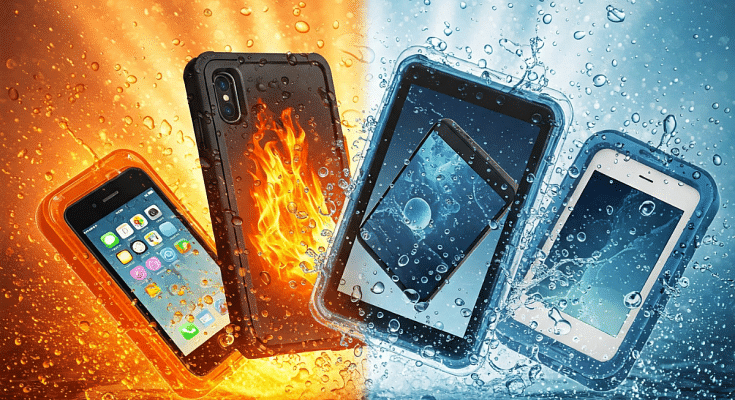
Protective cases shield gadgets from water and drops. Choose cases made of waterproof or water-resistant materials. Look for cases with tight seals around ports and buttons. Cases add a strong layer of defense against splashes and rain.
Applying Screen Protectors
Screen protectors guard the display from scratches and water. Some protectors offer water-resistant coatings. They stop small drops from seeping into the screen edges. Applying a protector keeps the screen clear and safe.
Avoiding Risky Situations
Keep gadgets away from water sources like sinks and pools. Avoid using devices outdoors during heavy rain. Do not place gadgets on wet surfaces or near liquids. Simple awareness helps prevent accidents and water damage.
Credit: www.giznext.com
Safe Handling Near Water
Handling gadgets near water needs care and attention. Water damage can happen fast. Protecting your devices means using them wisely in wet places. Small steps can save your gadgets from costly repairs.
Tips For Using Gadgets In Wet Environments
Keep your hands dry before touching your device. Wet fingers can cause slips and water entry. Use waterproof cases to add a strong shield. Avoid placing devices directly on wet surfaces. Always carry a microfiber cloth to wipe off moisture quickly. Turn off your gadget if it gets wet. This stops short circuits and saves your device.
Best Practices Around Pools And Beaches
Never leave gadgets unattended near pools. Water splashes and accidental drops are common. Use floating cases to prevent sinking. Keep devices away from sand; it can scratch and block ports. Store gadgets in sealed plastic bags for extra protection. Avoid charging devices near water to prevent shocks. Stay alert and treat your gadgets with care around water.
Emergency Steps After Water Exposure
Water exposure can harm your gadgets quickly. Acting fast can save your device from serious damage. Knowing the right steps helps you reduce risks and protect your data. Follow these emergency steps right after your gadget gets wet.
Immediate Actions To Take
Turn off the device immediately. Do not try to use it or charge it. Remove any case or cover to let air reach the device. Take out the battery if possible. Remove SIM and memory cards to protect your data. Avoid shaking or tapping the device. This can spread water inside.
Drying Techniques That Work
Use a soft cloth to wipe the surface gently. Do not use a hairdryer or heat source. Heat can damage internal parts. Place the device in a dry area with good airflow. Use silica gel packets or uncooked rice to absorb moisture. Keep the device in this drying setup for at least 24 to 48 hours. Patience is key to drying your gadget well.
When To Seek Professional Help
If your device does not turn on after drying, get expert help. Water may have damaged internal parts. Professionals have tools to open and clean the device safely. Avoid opening the device yourself if you lack experience. Early professional repair can prevent permanent damage. Do not delay if you notice strange sounds or screen issues.
Maintenance And Regular Checks
Regular maintenance and checks keep gadgets safe from water damage. Small problems become big if ignored. Simple steps help spot issues early. Careful attention extends gadget life and saves money.
Inspecting For Water Damage Signs
Check gadgets often for any water damage signs. Look for moisture under screens or inside ports. Notice any sticky buttons or strange smells. Rust or discoloration around charging points is a warning. Early detection stops damage from growing worse.
Cleaning And Drying Gadgets Properly
Keep gadgets clean and dry after use. Use a soft, dry cloth to wipe surfaces. Avoid harsh chemicals that can harm the device. If water touches the gadget, dry it quickly with a towel. Leave it in a dry place to air out completely. Proper drying prevents moisture buildup inside the device.
Credit: blog.bikroy.com
Frequently Asked Questions
How Can I Prevent Water Damage To My Gadgets?
Keep gadgets away from water sources and use waterproof cases or covers for protection.
What Should I Do If My Gadget Gets Wet?
Turn it off immediately and dry it with a soft cloth; avoid using heat to dry it.
Are Waterproof Gadgets Completely Safe From Water Damage?
Waterproof gadgets resist water but can still get damaged if exposed for too long or deeply submerged.
Can Water Damage Be Repaired On Electronic Gadgets?
Some water damage can be fixed by professionals, but quick action increases repair chances.
Conclusion
Protecting your gadgets from water damage takes simple steps. Use waterproof cases and avoid using devices near water. Always dry your hands before touching your gadgets. Keep electronics away from rain or spills. Small actions prevent big problems later. Staying careful helps your devices last longer.
Water damage can be costly and frustrating. Following these tips keeps your gadgets safe every day. Stay alert and protect your devices well. Your gadgets deserve the best care possible.